
Top Apps To Track Your Spending Effectively
Tracking my spending used to feel overwhelming and complicated. But once I started using spending tracker apps, I realized how much easier it can be to take control of my finances. The right app helps me see exactly where my money goes, avoid surprises, and plan for future expenses with more confidence. If you’re searching for a simple way to manage your budget and track spending, I’ll run through the most useful apps and how you can use them to get your finances on track.
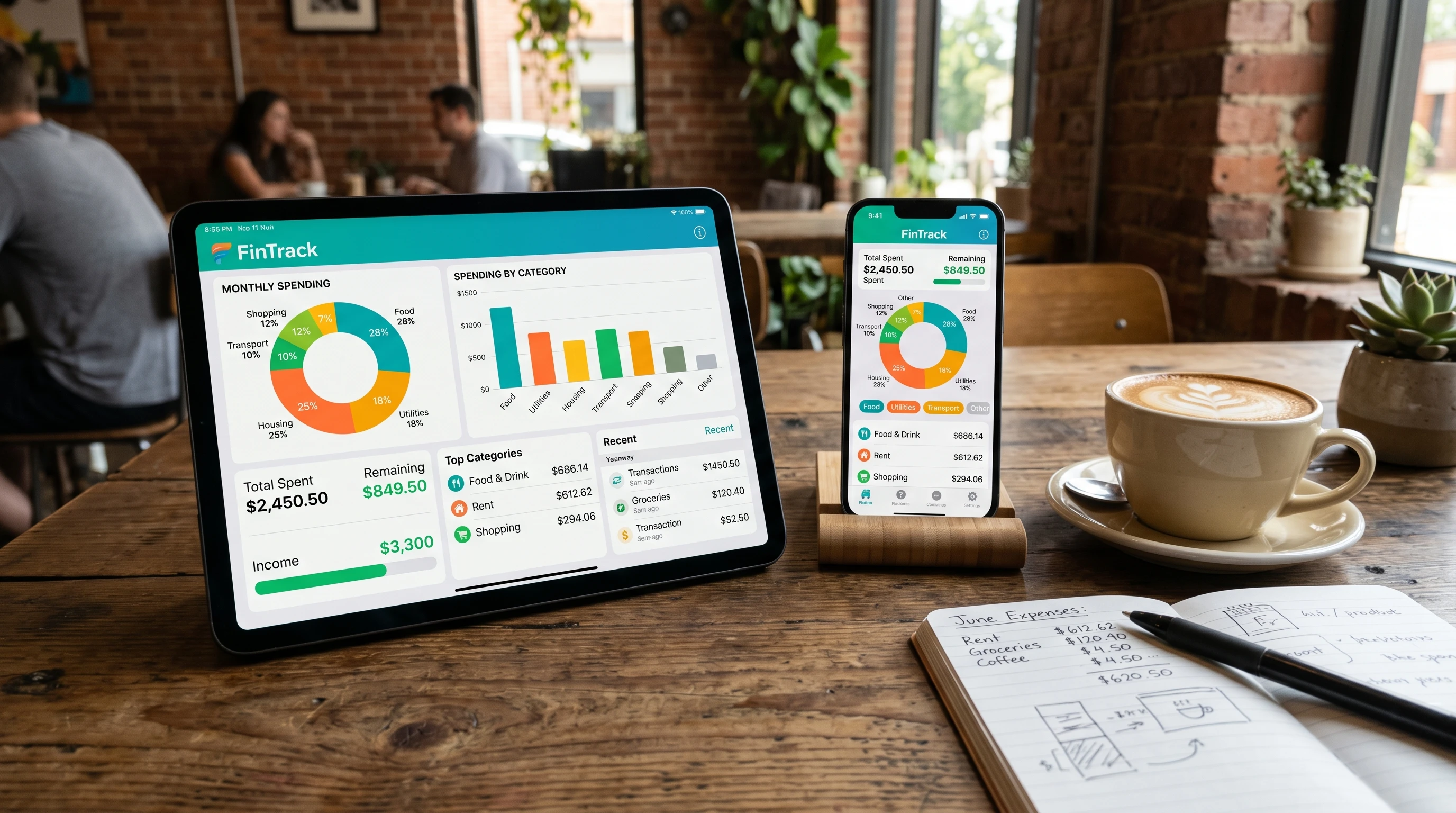
Why Using an App Can Help You Track Spending
Trying to track every purchase in your head or with slips of paper gets tiring fast. I find that spending tracker apps do more than just collect data. They help me actually understand my habits. Many apps link directly to my bank accounts, automatically categorize transactions, and offer instant insights on where my money goes. This takes out the guesswork and makes tracking way less stressful.
The main reasons I rely on these apps include:
- Easy Automatic Tracking: Most apps can automatically pull in banking transactions, so I don’t have to type everything in.
- Spending Categories: I see clear breakdowns like groceries, eating out, or bills. This helps me spot patterns quickly.
- Visual Reports: Interactive charts give me a quick picture of how much I’m spending each week or month.
- Real-Time Budgets: If I get close to overspending in a category, many apps send alerts. This helps me make better choices right away.
Whether you want to save more, pay down debt, or simply avoid running out of cash before payday, the right app can be really helpful in keeping you motivated and organized.
Top Spending Tracker Apps to Consider
I’ve tried several top-rated spending apps over the years. Some are perfect for detailed planners, others keep things as simple as possible. Here’s my breakdown of four popular apps that consistently get great feedback: EveryDollar, Quicken, Empower, and You Need a Budget (YNAB).
EveryDollar
EveryDollar’s design is clean and beginner-friendly. I started using it when I wanted a simple way to outline my monthly budget and see how well I stuck to it. The app uses the “zero-based budgeting” method, meaning every dollar I earn gets a job (for example: savings, rent, or groceries). Inputting expenses is quick, and the basic version is free to use. If you like automation, the paid version lets you connect bank accounts for automatic transaction syncing, taking all the manual work out of keeping my budget up to date.
The focus on planning ahead really helped me understand exactly where my paycheck was going. When I needed reminders to stay on course, EveryDollar’s budget lines always kept me accountable.
Quicken
Quicken is one of those names almost everyone has heard about, and it is the app that I am currently using. I like it most for its broad range of features, especially if you want to combine budgeting, spending tracking, and bill payment in one place. Quicken links to various types of accounts, including investments, loans, and credit cards. Automatic transaction downloads make expense tracking painless. All my account balances, spending reports, and recurring bills show up on a single dashboard.
What stands out for me is its custom reporting tools. If I want to get into the details—say, compare this year’s grocery spending with last year’s—Quicken gives detailed charts and filters to get exactly the info I want. Quicken is a paid product, but for someone who has multiple financial accounts and wants a bird’s-eye view, it’s pretty all-in-one.
Empower
Empower, formerly known as Personal Capital, mixes spending tracking with personal finance management and investment tracking. I signed up for Empower when I wanted to track a growing number of accounts in one app—checking, savings, credit, and even retirement. All my transactions show up in one feed, split into categories, and the app uses simple pie charts to show where my cash really goes.
On top of spending summaries, Empower automatically tracks my net worth and helps estimate cash flow. While the investment-related features are a plus, I find the spending analysis tools alone are useful even if I’m not focusing on investing just yet. Empower is free, which makes it pretty easy to try without any risk.
You Need a Budget (YNAB)
YNAB approaches budgeting a little differently, and that’s why I keep coming back to it whenever I need a real behavior change. Instead of just reporting what happened after the month is over, YNAB pushes me to give every dollar a specific job and to stay flexible if things change. The mobile and web interface lets me split up each paycheck as soon as I get paid, switch money between categories if I overspend, and see instant updates as I log transactions.
The way YNAB teaches its rules, like “roll with the punches” and “age your money,” forced me to think about my spending in a practical, day-to-day way. YNAB’s education resources and supportive community also really helped when I felt stuck. There’s a subscription cost, but I think the results are worth it if you’re looking for real, lasting change in your money habits.
Getting Started: Steps to Effective Expense Tracking
I’ve seen the best results with spending tracker apps when I follow a few specific steps. Here’s how I usually approach getting on track and sticking with it:
- Connect My Accounts: Linking checking, savings, and credit accounts saves me loads of time on data entry.
- Set Up Spending Categories: I adjust the default categories to match my personal habits, like splitting “food” into groceries vs. dining out.
- Review Transactions Weekly: Taking 10 minutes once per week to label or adjust anything the app missed keeps everything accurate.
- Check Progress: I make it a habit to scan over monthly charts. Spotting spikes in spending early helps me make changes before things get off track.
- Tweak and Adjust: Life changes all the time. I regularly update my categories or move money based on what’s coming up to keep my plan realistic and effective.
Whether I’m trying to save for a trip, lower my eating out, or just make sure I have enough for bills, these simple steps have always helped me stay aware and keep my goals realistic.
Common Challenges and How to Handle Them
Sticking with a spending tracker app isn’t always easy. Here are some challenges that I’ve run into and what I do to make them easier:
- App Fatigue: Sometimes I stop logging expenses. Setting calendar reminders and using apps with automatic syncing helps me stay on track.
- Confusing Categories: Some purchases don’t fit neatly. I create custom categories or combine similar ones so reporting makes more sense for my life.
- Forgotten Transactions: Cash purchases sometimes get missed. I make a habit of entering them on my phone right away or keeping receipts for reference at the end of the week.
- Perfection Pressure: It’s easy to get discouraged if I go over budget. I treat a tracker as a learning tool, not a scorecard I need to get “perfect.”
Recognizing these challenges helps me stick with a plan, even when things don’t go as smoothly as I’d like.
FAQ: Spending Tracker Apps
Do I have to pay for a good spending tracker app?
Lots of powerful apps are free, like Empower and EveryDollar’s basic version. Paid options like YNAB and Quicken offer more features. It depends on the level of detail and automation you want. I usually recommend starting with a free version, then moving to paid if you need extra tools.
And I would recommend starting out with Empower. It’s free and the transaction streaming is free as well, even though it can “act up” from time to time.
Is it safe to connect my bank accounts to these apps?
Most apps use bank-level security and encryption. I always use strong passwords and check for security information on the app’s website. I also keep a regular eye on my accounts for anything unusual, just to be safe.
How often should I check my spending tracker?
Checking at least once per week works best for me. Some people like to check every day, while others prefer reviewing at the end of the month. Find a schedule that fits your routine and stick with it as best you can.
I would recommend Daily during the first couple of months to establish the new budgeting habit, then weekly after that, personally.
Can tracking expenses really help me save more?
In my experience, yes. Just knowing exactly where your money is going helps you spot habits and rethink small choices that add up over time. Apps make the process much easier and less stressful than trying to keep track by hand.
Final Thoughts on Finding the Right App
Finding the right app to track my spending gave me more control over my budget and helped me reach my financial goals sooner. EveryDollar, Quicken, Empower, and YNAB each offer different advantages, depending on how hands-on you want to be and how many details you need in your reports.
Try out a couple of different apps and see which one fits your daily routine and your goals best. Your ideal app should be easy enough that you’ll keep using it, but detailed enough to actually help improve your habits over time.
Chech out our comprehensive guide on budgeting for financial success. Just click here.
Do you use a spending tracker app, or are you thinking about starting? Share your favorite app or questions about tracking expenses in the comments. I’d love to hear what’s helped you and answer any questions you might have.